
template
BitFocus Companion Template — ATEM Control Page
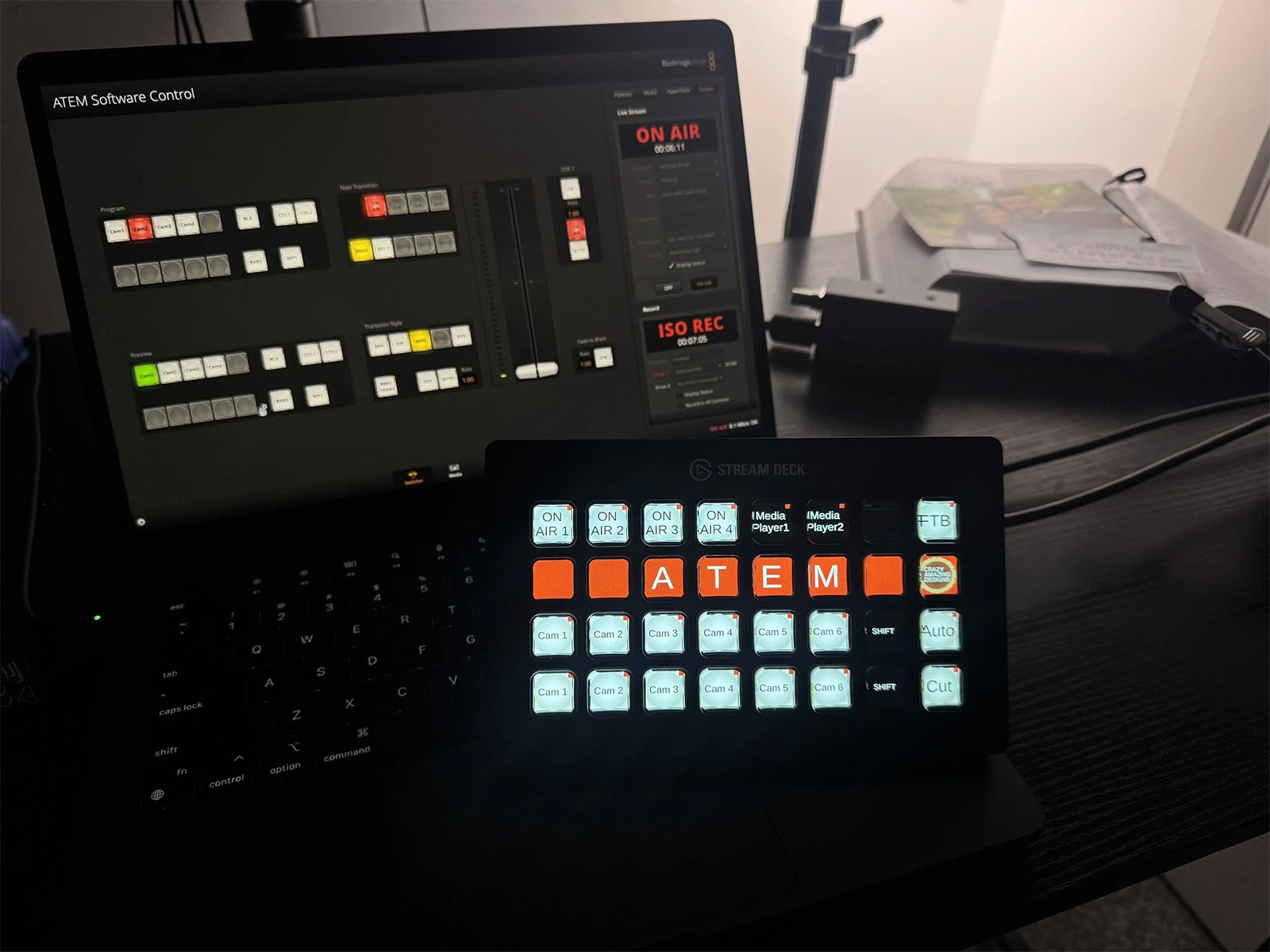
Pre-built Companion pages to control an ATEM switcher from a StreamDeck. Import two .companionconfig files and you're running 12 cameras, 4 upstream keys, and 2 media players in seconds.
- Two ready-to-import .companionconfig files
- Controls 12 cameras + 4 upstream keys + 2 media players
- Drop onto blank Companion pages, assign your ATEM connection
- Works with any ATEM switcher + any StreamDeck in the lineup
If you’ve ever clicked through nested ATEM menus mid-service, you know the pain. This template gives you a working StreamDeck control surface — imported in under 60 seconds — that maps your most-used switcher operations to physical buttons.
What’s inside
- Main page — camera selects, transitions, fade-to-black, media players
- Keyers page — four upstream keys with on/off, fly, and chroma toggles
- Both files as
.companionconfigimports, ready to drop onto blank Companion pages
How to install
- Open Bitfocus Companion on your control computer
- Import both
.companionconfigfiles, assigning each to a blank page - Link the pages with your ATEM connection
- Plug in your StreamDeck — the layout auto-loads
Who this is for
Churches and event producers running an ATEM switcher who want to skip the hours of button-mapping. Also a great teaching tool for training volunteers — the button layout makes what the switcher is doing visually obvious.
More like this
Other templates you might like.
template
Conference Room Control System Template
Build a Bitfocus Companion + StreamDeck control system for any conference room, classroom, or multi-purpose space. Core software files + docs for controlling X32, ATEM switcher, and more from a single surface.
template
ProPresenter Quick Start Template
Pre-built playlists, songs, sermon notes, headers, and announcement presentations — complete with the Macros, Looks, Themes, and Props you need to run smoothly out of the box.
Questions about this product?
Ask Handi on the homepage, or send a note and Nathan will personally reply.